Send a WhatsApp or Telegram message to a single client through the API: one request, your own text and attachment, no campaign. For codes and reminders.
Some messages can't wait for the evening campaign. A client has paid for an order. Booked an appointment. Asked for a confirmation code over the phone while the operator stays on the line.
A message like that is meant for one person, matters for a few minutes and will never be repeated. Building a campaign around it makes little sense: an audience of one number, a text for one occasion, all for a single message.
There is now a dedicated method for this. One HTTP request sends one message to a specific person, with its own text and attachment. Here we look only at one-off sending; campaigns are covered in the article on the bulk messaging API.
How sending a single message through the API works
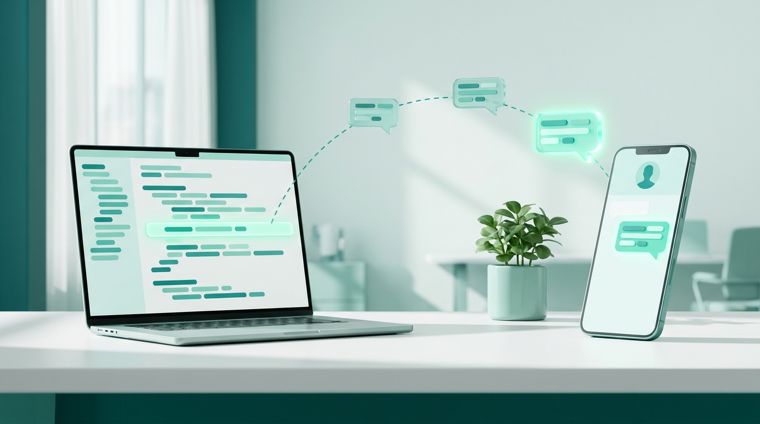
The flow is simple: an event in your system → a request to the API → a message on the client's phone.
The whole method is one request, POST /v1/message, and it carries three things: which account to send from, who to send to, and what. The key is the same one you use for campaigns, from the API section of your dashboard:
curl -X POST https://api.wsender.io/v1/message \
  -H "Authorization: key YOUR_TOKEN" \
  -H "Content-Type: application/json" \
  -d '{
    "channelId": "ACCOUNT_ID",
    "phone": "+91 98765 43210",
    "message": { "kind": "text", "text": "Payment for order 84421 received. See you tomorrow at 12:00." },
    "idempotencyKey": "order-84421-paid"
  }'
The response is the message itself, with its own ID and status:
{
  "id": "0f3c9a6e-4b12-4d8a-9f31-6c5a71e08d42",
  "mid": null,
  "status": "Queued",
  "channelId": "ACCOUNT_ID",
  "target": "Phone",
  "phone": "919876543210",
  "dialogId": null,
  "errorReason": null,
  "sendDate": null,
  "failDate": null,
  "wait": null,
  "expiresAt": "2026-09-07T21:15:04Z",
  "idempotencyKey": "order-84421-paid"
}
The account ID comes from the list of connected accounts, GET /v1/channel, and idempotencyKey is your own request key (more on it below). The dialogId field is filled in once the service finds the conversation with this person, and you can later use it to reply in the same dialog. If you have written to them before, it's filled in right away, in this very response. mid appears after sending: it's the message ID within the conversation. wait explains what is holding the message in the queue, and expiresAt says how long an unsent message keeps waiting: after that it ends with the reason Expired.
The response arrives immediately, but it means "accepted into the queue", not "delivered". The message is sent by your connected account, a real account in the messenger app. That takes seconds, or up to a couple of minutes for an unfamiliar number: messengers don't like numbers being checked instantly. A bot is faster: it sends directly through the Bot API, with no live app involved.
This difference matters for an operator on the line. The right thing to say on the phone is "I'm sending you a message", not "it's already there".
Addressing the recipient on WhatsApp, Telegram and bots
The recipient is set in one of several ways, and that decides whether you need a phone number at all:
- Phone number in any common format. The most common case: you already have the number in the client's record.
- Username in Telegram, if your account knows it from an earlier conversation.
- Dialog, by its ID from the API or by the chat's address in the messenger itself. The dialog must already be known to your account: the request rejects an unfamiliar address instead of taking a guess.
In the request, these are four fields, and you fill in exactly one of them. The service doesn't guess who you meant to write to:
"phone": "+91 98765 43210"
"username": "@ananya_k"
"dialogId": "DIALOG_ID_FROM_API"
"dialogMid": "123456789"
The last option is the chat's address in the messenger itself, the chat_id of a Telegram bot chat. It's handy when your system already stores messenger addresses and you don't want to keep our IDs on your side as well.
Bots can only be addressed by dialog. That isn't the service's choice: a bot subscriber may have neither a phone number nor a username, but there is always a dialog. A bot still can't write first either, and that's a platform restriction, not ours.
What you can send: text, files and contact cards
Text, an image, a video, audio, a document or a contact card. Text supports alternative wordings in square brackets: [Hi|Hello] turns into one of the two, so your messages don't look mass-produced.
There's a trap here that's better to know about before your first request than after it: square brackets count as spintax even without alternatives. The text [Important] your code 1234 reaches the client as Important your code 1234, with no brackets. If your templates use brackets for formatting, switch to another character.
A file is uploaded once in a separate request and then passed by ID in as many messages as you like. One price list sent to a hundred clients takes up the space of one file. The limits are simple: up to 10 MB per file, and an unused file is kept for a day and then deleted automatically.
The upload is a regular form with a file, and the field that matters in the response is id:
curl -X POST https://api.wsender.io/v1/file \
  -H "Authorization: key YOUR_TOKEN" \
  -F "file=@price-2026.pdf"
If the file is already available at a public link, use POST /v1/file/url with a url field instead of the form, and the server downloads it itself. Then the ID goes into the message, and the type is set by the kind field: text, image, video, audio, file or contact. Images, videos and documents can have a caption, and any attachment can have a fileName that the recipient will see:
{
  "channelId": "ACCOUNT_ID",
  "phone": "+91 98765 43210",
  "message": {
    "kind": "file",
    "fileId": "UPLOADED_FILE_ID",
    "fileName": "Festive season price list",
    "caption": "Hi! Here's the price list we talked about. Prices are valid till the end of the month."
  },
  "idempotencyKey": "price-request-1187"
}
The name is optional: without it, the uploaded file's name is used, and the extension is added either way, so don't include it. An image is sent the same way, with "kind": "image", and a contact card needs no file at all: { "kind": "contact", "phone": "+91 90000 00000" }.
The one exception: a contact card can't be sent from a bot, because the service doesn't support this message type for bots. The request is rejected immediately rather than silently getting lost during sending.
How to know the message got through: webhook events
The response to your request said "accepted". From there, the service reports the outcome itself with three webhook events:
message.sent. The message has gone out to the messenger.message.failed. Sending failed, and the event includes the reason: the recipient blocked the account, you can't write to them first, the sending account got disconnected. Or sending kept running into a temporary messenger outage for several minutes and ran out of attempts: a message like that can simply be queued again.message.notfound. The recipient doesn't exist in the messenger: no such number, no such account. This is a separate event, not a kind of error. There's nothing to fix, but it's worth flagging the contact in your database.
You subscribe to them explicitly. Specify the webhook URL and list these events in its filter: otherwise they won't arrive, even if the webhook is already set up for campaign events. This is deliberate. If you send a hundred messages a day, a per-message stream is useful; if you run campaigns to tens of thousands of recipients, you shouldn't get it by accident.
Each event contains the message ID, the sending account, the recipient in the form you specified, the status, the failure reason and the dates. Most importantly, it contains your own key, the same one you passed with the request. You use it to find the request in your own system, without storing our IDs at all.
Here's what a failure event looks like when the recipient has blocked your account:
{
  "id": "7d1e0b58-3a44-4f2c-9c81-15b0f7a9d6e3",
  "type": "message.failed",
  "date": "2026-09-07T09:15:42Z",
  "payload": {
    "message": {
      "id": "0f3c9a6e-4b12-4d8a-9f31-6c5a71e08d42",
      "channelId": "ACCOUNT_ID",
      "phone": "919876543210",
      "status": "Failed",
      "errorReason": "Blocked",
      "failDate": "2026-09-07T09:15:41Z",
      "idempotencyKey": "order-84421-paid"
    }
  }
}
The reason tells you what to do next. Blocked and RestrictedSend mean you can't write to this person from this account. ChannelDisconnected means the account has been disconnected: reconnect it and send again. Expired and Unavailable mean the message couldn't be sent within the allotted time, and you can queue it again with a new key.
When building your handler, keep three things in mind:
- The same event can arrive twice. For example, your server has already accepted it, but the response got lost on the way back. Check the event
idand don't repeat the action in your system. - Your own cancellation doesn't produce an event. You canceled the message yourself and got a response to that request, so there's no point telling you about your own action a second time.
- You can check the result through the API. The service handles temporary sending failures on its own. If a message couldn't be sent within the allotted time, it gets the
Failedstatus, and an active webhook you've set up receives amessage.failedevent with the reason. If your receiver is unreachable, the event may not get through, but the current result stays available viaGET /v1/message/{id}.
Webhook delivery is retried at increasing intervals, but each event is kept for no longer than a day. After a full day of errors with no successful delivery, the webhook is suspended, and new events stop piling up.
Check health in the GET /v1/webhook response, fix the receiver and call POST /v1/webhook/resume. A successful check resumes delivery of the events that are still stored. Events missed during the suspension and expired ones are not restored.
If you'd rather not build webhooks, you can request a message's status by its ID: GET /v1/message/{id} returns the same structure as the send response, with the current status, which is one of Queued, Sending, Sent, Failed or NotFound. Bear in mind that right after the request the status will be "queued", and a single call won't tell you the outcome: you'll have to ask again. The method deliberately has no "wait until it's sent" mode, because holding your HTTP request open for a minute is worse than sending you an event. That's why webhooks are the preferred route here and not an optional extra.
Replying to incoming messages with the same API method
The method isn't only for outgoing messages. The service reports a new message from a client with the message.received event, which contains the text, the sender and the dialog. You then reply with the same send request, using the dialog from the event as the recipient. That one method is enough for two-way messaging: your own inbox, a chatbot or a CRM integration. If you don't need an inbox of your own, operators can use Dialogs, which opens from your dashboard: it shows the same conversations, and replies sent through the API are labeled "API".
A reply can quote a specific message, just as you would in the messenger itself when responding to something from the middle of a conversation. To do this, pass the ID of the quoted message in the request: you'll find it both in the incoming message event and in the dialog history returned by the API.
It's the same POST /v1/message, only the recipient is a dialog and there's an extra replyToMid field:
{
  "channelId": "ACCOUNT_ID",
  "dialogId": "DIALOG_ID_FROM_EVENT",
  "replyToMid": "CLIENT_MESSAGE_MID",
  "message": { "kind": "text", "text": "Yes, it's in stock. Shall I keep it aside for you till this evening?" },
  "idempotencyKey": "reply-5c2e-1"
}
Both IDs come in the incoming message event: the dialog in payload.dialog.id and the message itself in payload.message.mid. You can only quote a message from the same dialog. The service won't accept one from another dialog: the check happens at request time, so nothing gets silently lost during sending. On WhatsApp, Telegram and Telegram bots, any type of message can be quoted.
The original message may be deleted after you've sent your request. A messenger account will then send your message as a regular one, without the quote: there's no reason to lose the text over formatting. Bots can't do that. The message fails with an error, and the reason makes it clear what to do: send it again without the quote.
Retrying an API request doesn't create a second message
A classic problem with transactional messages: the connection drops just as the response is on its way, your code retries the request, and the client gets two identical messages.
Pass your own unique key with the request, and a retry with the same key returns the same message with its current status instead of sending a second one. This is standard idempotency, and here it works at the level of the message itself.
While a message is waiting in the queue, you can cancel it with a separate request, DELETE /v1/message/{id}. Once the sending account has picked it up, it's too late: you'll get a 409 code with the current status in the body, and the outcome depends on the sending itself. A canceled message then shows up as Failed with the reason Canceled; there's no separate "canceled" status.
What the API won't let you do
Here are the limits up front, so you don't design around something that won't work.
- The prohibited-topics check applies here too. The message is checked at request time, a rejected one never reaches the queue, and the response gives the reason. Direct sending is not a way around moderation.
- Your plan's daily limit is shared with campaigns. Direct messages use it up on equal terms: one sent message counts as one message on your plan, and the method has no separate limit. There are no paid overages: once the limit is used up, requests are rejected rather than sent for an extra charge. The remaining allowance also shrinks by whatever is already waiting in the project's queue.
- There's a pause of a few seconds between sends from one account. It protects the account from a stream of messages fired off in a loop. A live conversation with a client never hits it, but an attempt to send a thousand messages through this method will.
- The service doesn't provide numbers of its own. The message goes out from your connected account or bot, so the number's reputation stays yours, and client replies reach you in the regular messenger app.
What's next
The method is available on regular plans and is currently in testing: it has no separate price yet, and messages count as regular plan messages. The free plan gives you 15 messages a day, which is enough to build an integration.
Start with a single request to your own number: connect an account, get a key in the API section of your dashboard and send yourself a test message. Then subscribe to the events and hook the call into the place in your system where the event happens.
The full method reference, with the option to run requests right from your browser, is in the API documentation, and the spec for generating a client is in the OpenAPI file.